About this project
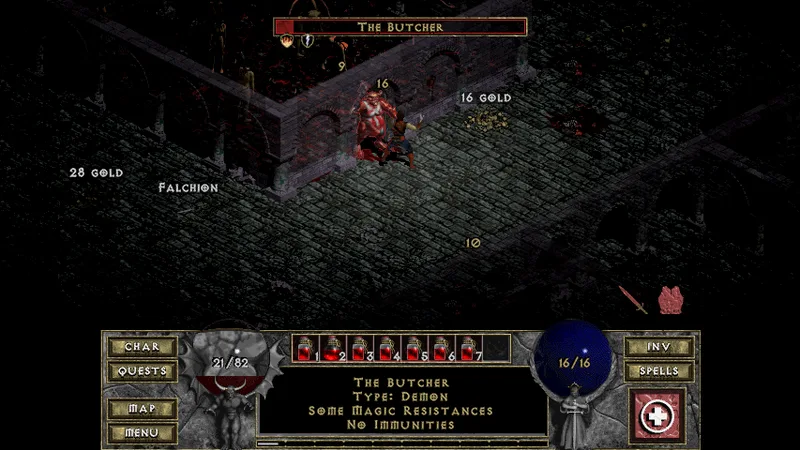
The maintainers describe DevilutionX as a Diablo/Hellfire port with engine improvements, bug fixes and optional quality-of-life features; widescreen and health/experience bars are optional settings.
Source: Official repository README (cached consultation) ↗ · Checked Oct 11, 2026
Compatibility
The installation guide has dedicated instructions for Windows, Linux, macOS, Android, iOS/iPadOS and Nintendo Switch, plus other targets. These are documented installation paths, not AllRecomps gameplay tests.
Source: Official installation guide ↗ · Checked Oct 12, 2026
Documented support and independently tested compatibility are different. AllRecomps has not run these games.
Development progress
Not documented in the available sources.
Known limitations
Development test builds can contain bugs; the README recommends backing up files. Downloading GitHub workflow artifacts requires a GitHub login.
Source: Official repository README (cached consultation) ↗ · Checked Oct 11, 2026
Getting started
After extracting the official release, copy DIABDAT.MPQ from your original Diablo CD or installation into the DevilutionX folder.
Source: Official repository README (cached consultation) ↗ · Checked Oct 11, 2026
Hellfire additionally requires hellfire.mpq, hfmonk.mpq, hfmusic.mpq and hfvoice.mpq. The shareware spawn.mpq can replace DIABDAT.MPQ only for the shareware portion.
Source: Official repository README (cached consultation) ↗ · Checked Oct 11, 2026
Diablo uses DIABDAT.MPQ; Hellfire additionally needs hellfire.mpq, hfmonk.mpq, hfmusic.mpq and hfvoice.mpq. DevilutionX also needs its included devilutionx.mpq. Follow the system-specific data folder instructions rather than copying files to an arbitrary directory.
Source: Official installation guide ↗ · Checked Oct 12, 2026
Some projects require files from your own copy of the original game. Follow the official instructions.